
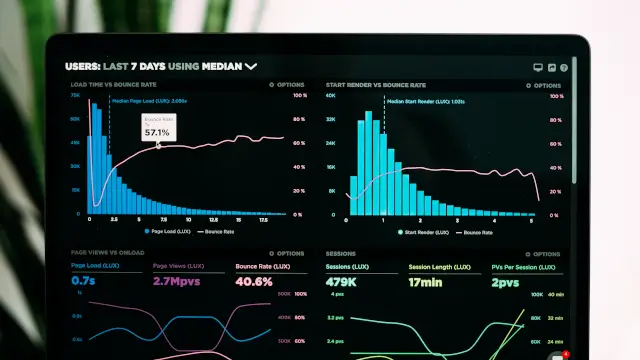
Yes, AI can automate 90% of Excel tasks without writing a single formula. Tools like Microsoft Copilot, ChatGPT formula generator, and Google Sheets AI can create charts, analyze data, and build dashboards using plain English. Average time savings: 3-5 hours per week.
✅ Top 10 AI tools for Excel automation (free & paid)
✅ How to generate formulas with ChatGPT
✅ Microsoft Copilot vs Google Sheets AI comparison
✅ Step-by-step: Create automated reports
✅ Security considerations for AI spreadsheet tools
Whether you need data entry automation, report generation, or pivot table creation, AI tools can handle it. For understanding broader AI productivity tools, see our Best AI Tools for Digital Marketers guide.
Related: Explore more AI productivity — How to Make Money with AI 2026, Best AI Writing Tools, or GPT-4o vs Claude vs Gemini.
What Is AI for Excel?
AI for Excel refers to artificial intelligence tools that can automate spreadsheet tasks without requiring users to learn complex formulas or VBA code. These tools understand plain English commands and convert them into appropriate Excel actions.
- Formula Generator: AI creates complex formulas from your description
- Data Analyzer: AI identifies patterns and suggests visualizations
- Chart Builder: AI converts text descriptions into charts
- Automation Assistant: AI creates recurring report templates
AI Excel Tools Comparison 2026
| Feature | Microsoft Copilot | ChatGPT Formula | Google Sheets AI |
|---|---|---|---|
| Cost | $30/mo (365) | Free/$20/mo | Free |
| Platform | Excel Online | Any spreadsheet | Google Sheets |
| Formula Generation | ✅ | ✅ | ✅ |
| Chart Creation | ✅ | ❌ | ✅ |
| Data Analysis | ✅ | ✅ | ✅ |
10 Ways to Automate Excel with AI in 2026
1. Formula Generator with ChatGPT
Simply describe what you want in plain English: "Create a formula that calculates the average of cells A1 to A10, but only includes values greater than 50." ChatGPT will generate the exact formula.
2. AI-Powered Data Cleaning
AI tools can automatically remove duplicates, fix date formats, trim whitespace, and standardize text case across your entire spreadsheet with one command.
3. Text-to-Chart Creation
Describe "Create a bar chart showing monthly sales for Q1" and AI builds it instantly. No selecting ranges or choosing chart types needed.
4. Pivot Table Builder
Tell AI "Create a pivot table showing sales by region with average order value" and it builds the entire structure automatically.
5. Conditional Formatting Automation
AI applies color scales, icon sets, and conditional rules based on your description like "Highlight all cells in red where values are below 1000."
6. Report Automation
Create templates that automatically pull the latest data and format weekly or monthly reports. Set it once, generate forever.
7. Data Extraction from Images
AI can read data from screenshots or photos of tables and convert them into editable spreadsheet cells.
8. VBA Script Generator
Describe the automation you need and AI writes the VBA code. Example: "Create a macro that loops through all sheets and prints each to PDF."
9. Template Builder
AI generates complete spreadsheet templates for budgets, invoices, project trackers, and more based on your requirements.
10. Analytics Dashboard Creation
One-click dashboards that combine multiple data views, KPIs, and visualizations based on your data structure.
How to Automate Excel with AI in 2026: Step-by-Step
Choose Your AI Tool
Decide between Microsoft Copilot (if you have 365), ChatGPT (free or paid), or Google Sheets built-in AI.
Open Your Spreadsheet
Open the Excel file or Google Sheet you want to automate. Ensure you have edit access.
Write Your Prompt
Describe what you want in plain English. Be specific: "Create a pivot table showing sales by month with total revenue."
Review AI Output
Check the results carefully. AI might not always interpret correctly—review formulas and data before finalizing.
Save as Template
Once satisfied, save your automated setup as a template for future use with similar data.
✅ Pros
- Save 3-5 hours/week on repetitive tasks
- No formula knowledge required
- Generate charts and reports instantly
- Automate data cleaning and formatting
❌ Cons
- Requires internet connection
- Some features need paid plans
- AI can misinterpret complex requests
- Data privacy concerns with cloud AI
📊 Key Statistics
- 78% of Excel users don't know advanced formulas (survey)
- 65% reduction in spreadsheet time with AI tools
- $134K average salary premium for AI Excel skills
? Frequently Asked Questions
Last Updated: April 27, 2026 | Source: Microsoft Blog, OpenAI